


If the sound fluctuates during playback, this can have several causes, but in most cases it’s due to the so-called “ad effect”. Feature films are often broadcast in high-quality Dolby Digital (5.1). When the channel switches to commercials, the audio format often changes to classic stereo (2.0). Since stereo tracks are often more heavily compressed, they suddenly sound extremely loud and aggressive. This effect also occurs when zapping between different channels.
There are several ways to counteract this:

First, open Settings using the [gear] button on your remote. Then select the gear icon again in the top bar to access the full settings.
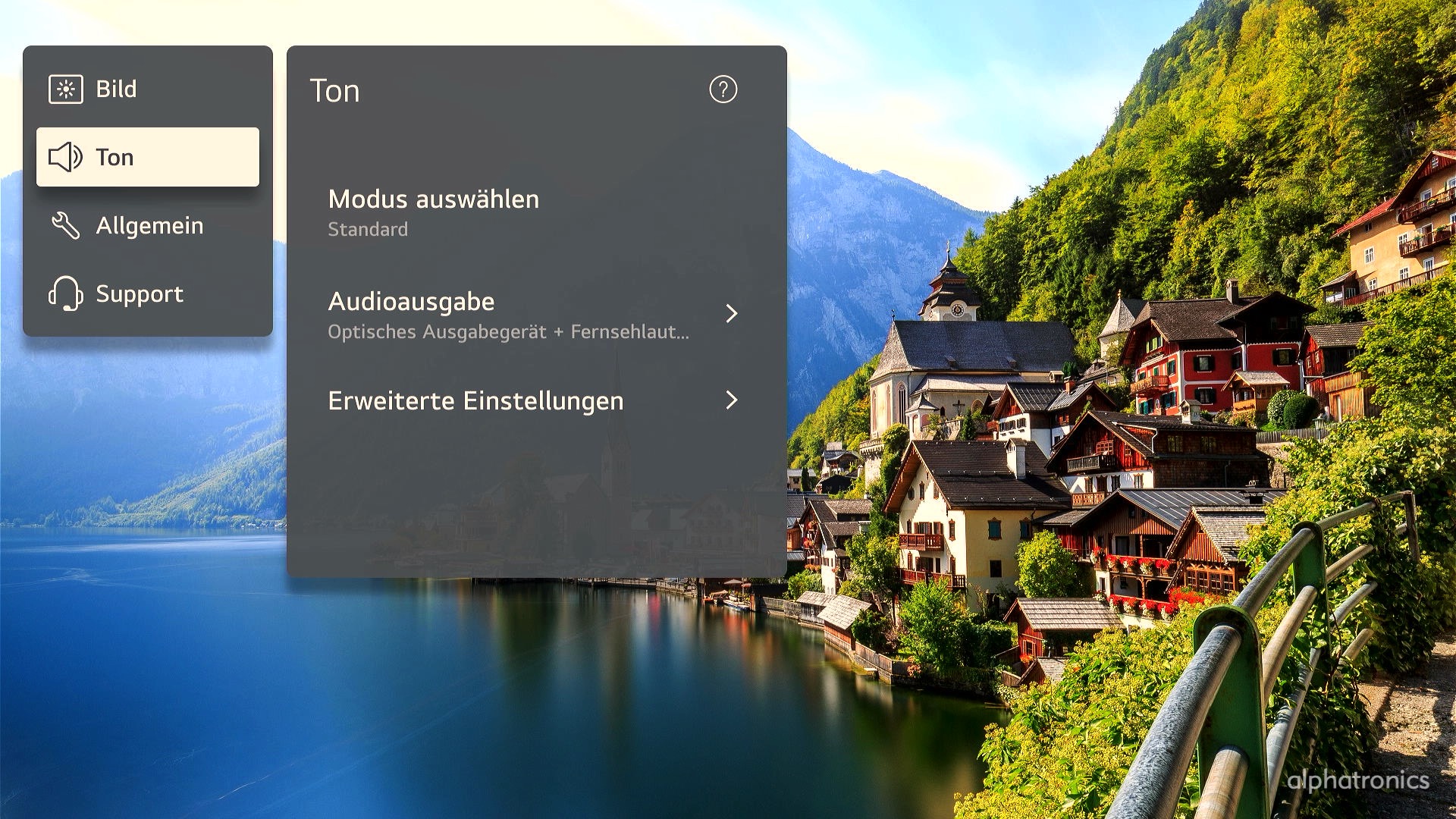
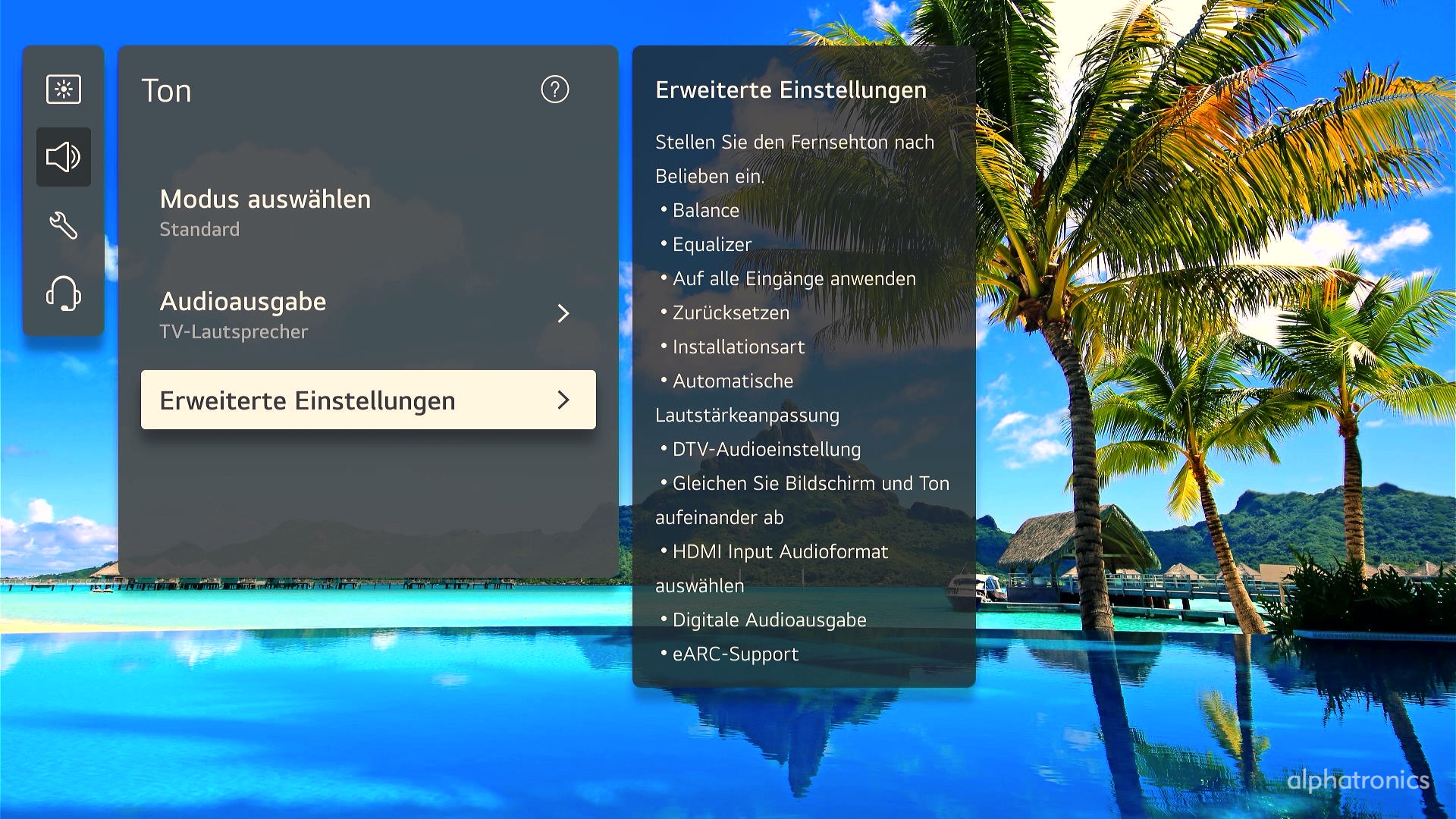

Now select the following path:
Sound > Advanced Settings > Additional Settings > Automatic Volume Adjustment
Audio formats in detail
| Format | Properties | Use case |
|---|---|---|
| MPEG | An older standard format (stereo). | Pure two-channel audio, often found on SD channels or older video material. Does not provide surround sound. |
| Dolby Digital | The classic for multi-channel audio (5.1). | Standard for DVDs and many HD channels. Delivers true surround sound, but is heavily compressed. |
| Dolby Digital Plus | The more modern successor (up to 7.1). | Standard for streaming (Netflix, Disney+, etc.). It offers higher sound quality with less storage space and supports Dolby Atmos. |
| HE-AAC | “High-Efficiency Advanced Audio Coding”. | Often used for terrestrial TV (DVB-T2). It delivers good quality at extremely low bitrates. |